Chatbot for Comment Reply in Instagram and Facebok
When customer comment on your post, you can also create automated reply to them. It can either be a public reply to their comment or a reply as direct message.
Public Comment Reply
Expected Outcome
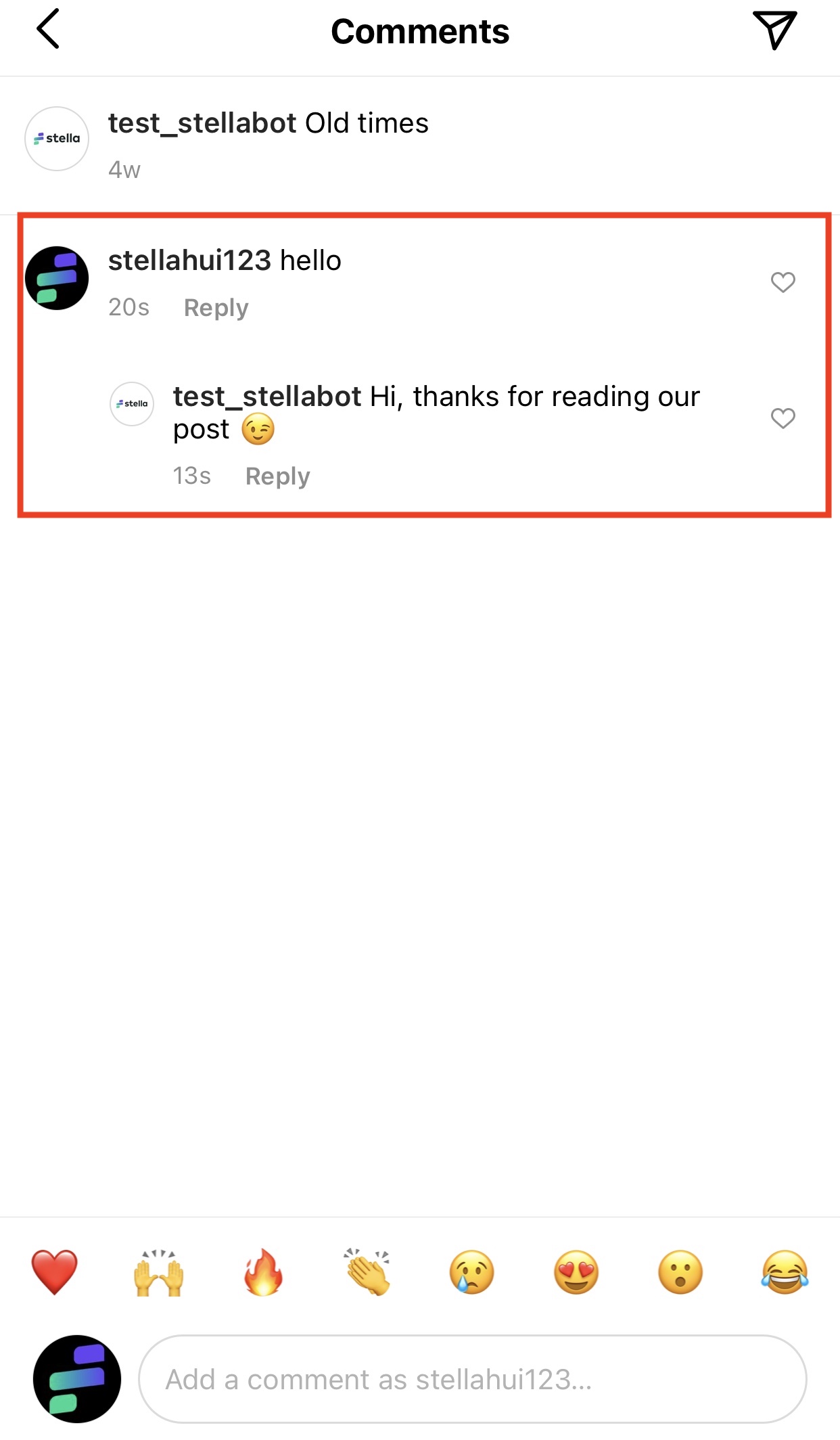
Public Comment Reply
Create a Chatbot and Node
- Create a new chatbot.
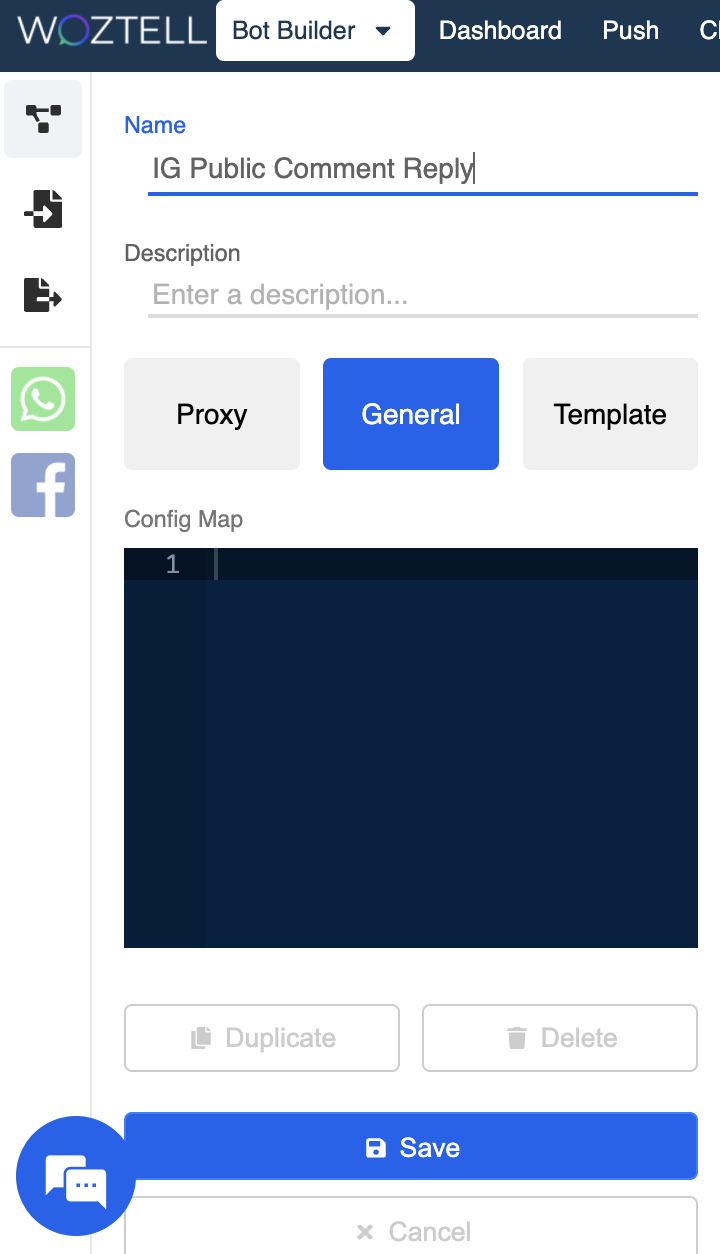
Create New Chatbot
- Create a new chatbot node. This node will handle the automated reply sent to the customers.
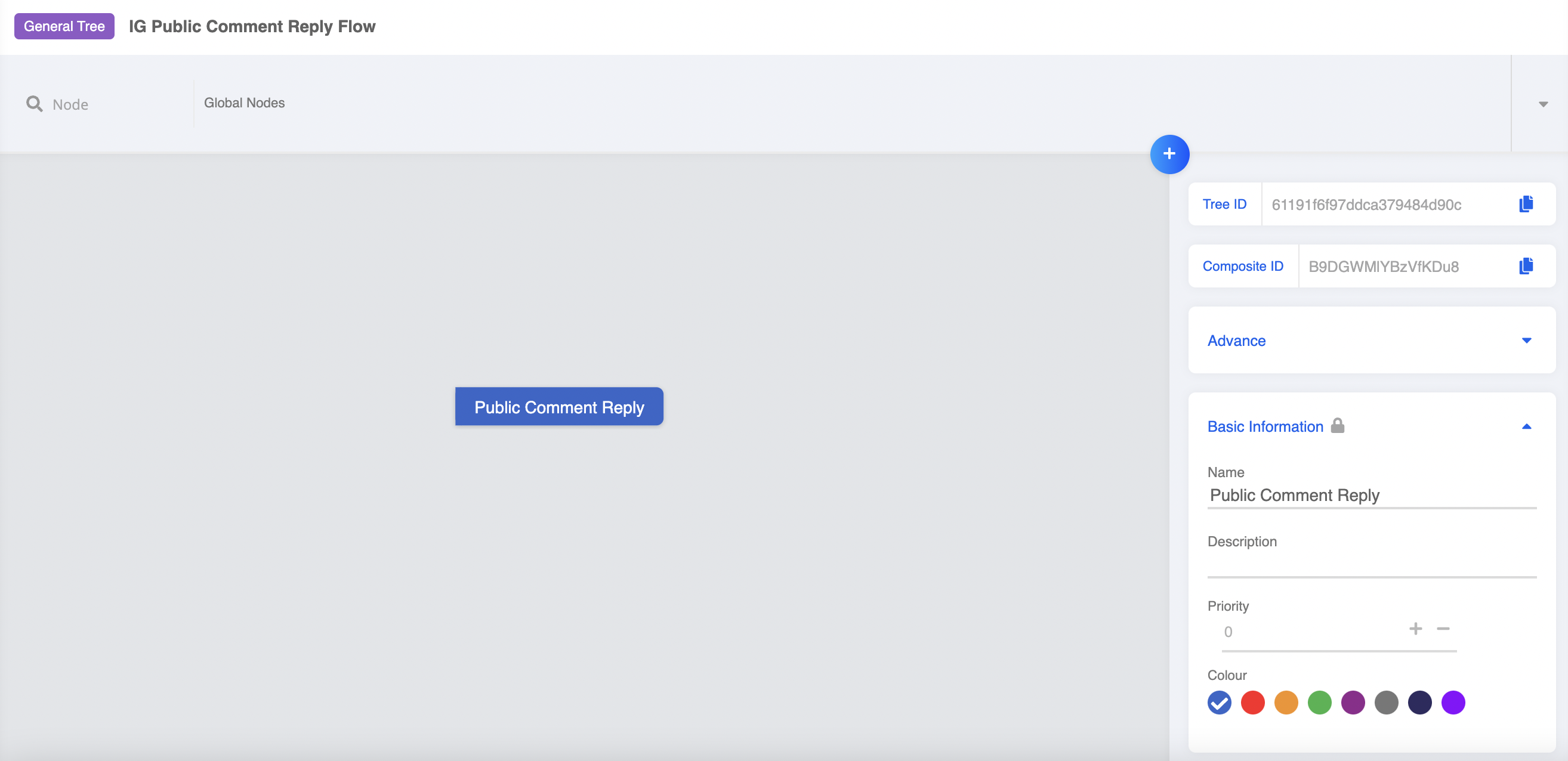
Create New Node
- Select "Add Platform" and choose "Instagram".
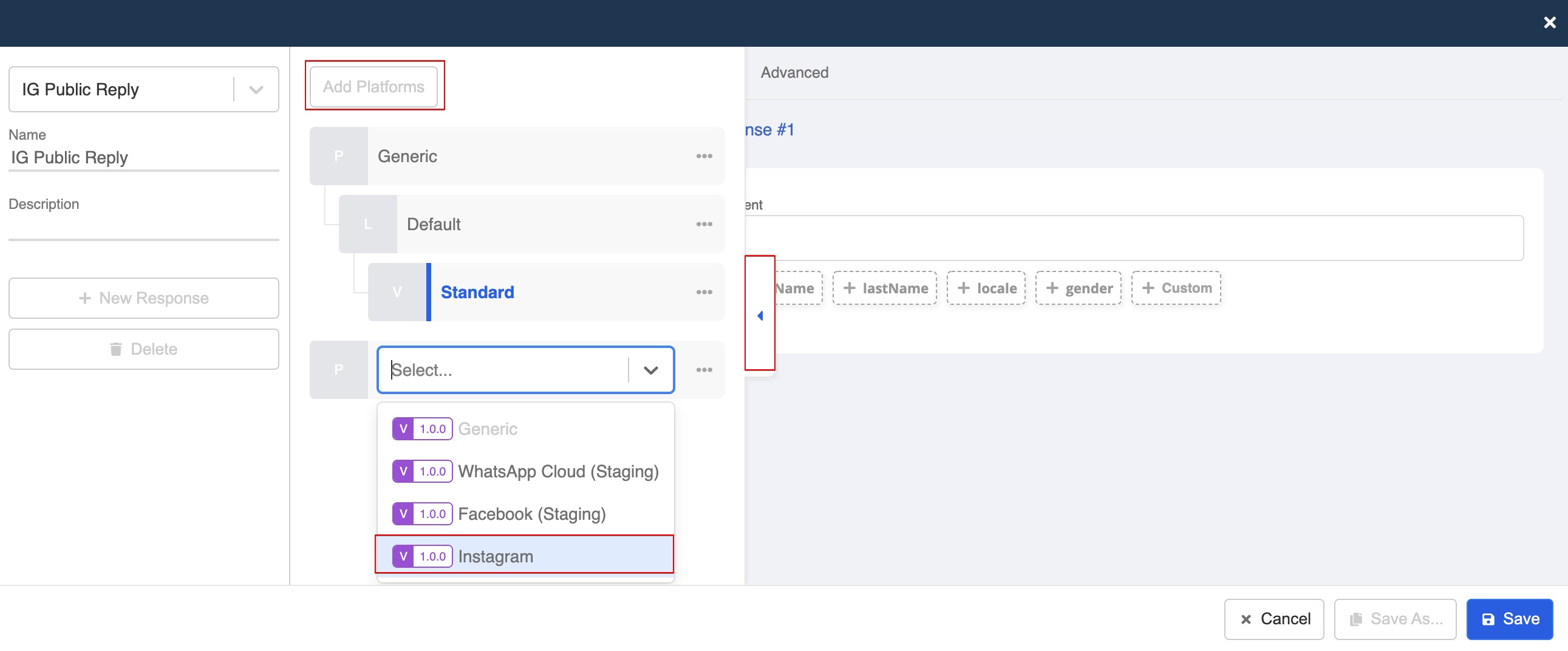
IG Response Platform
- Create a "Public Reply", and fill in the text content for the comment reply. Click "Save".
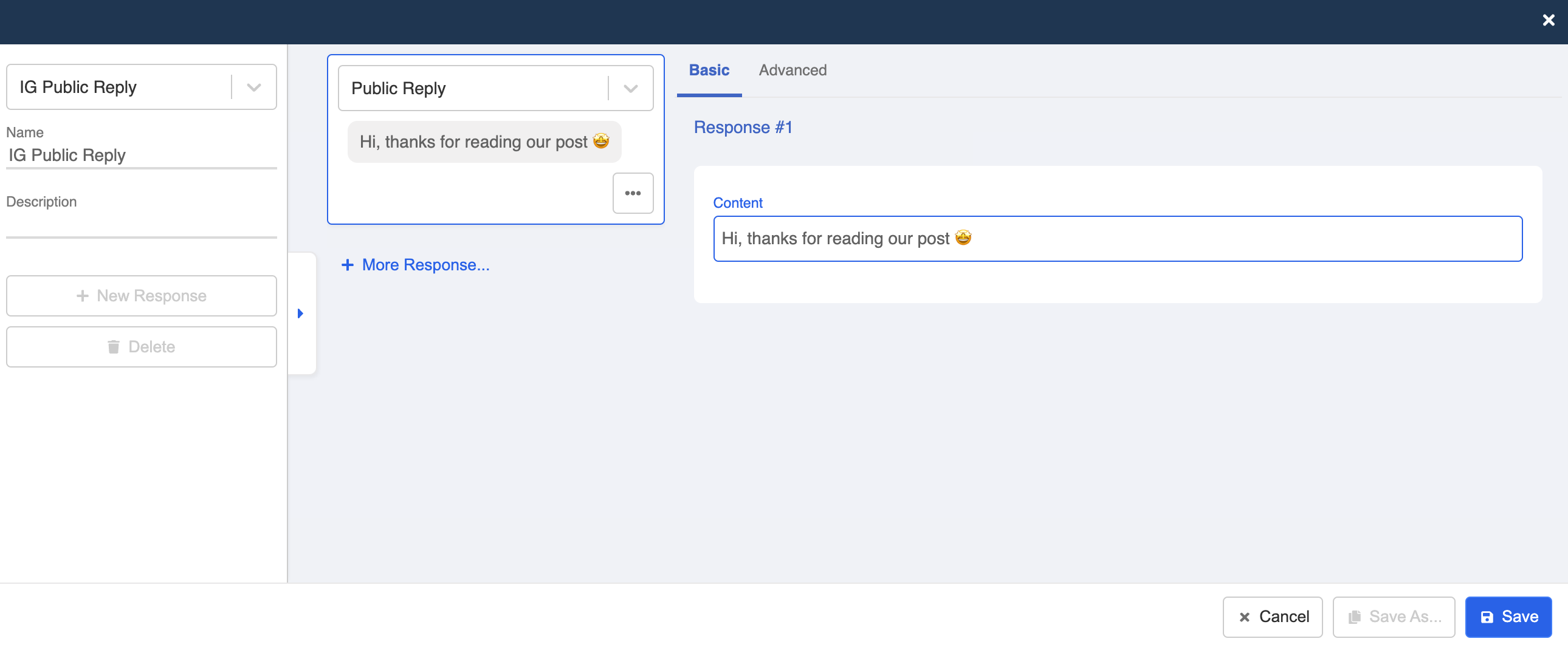
Create New Response
- Save the chatbot node.
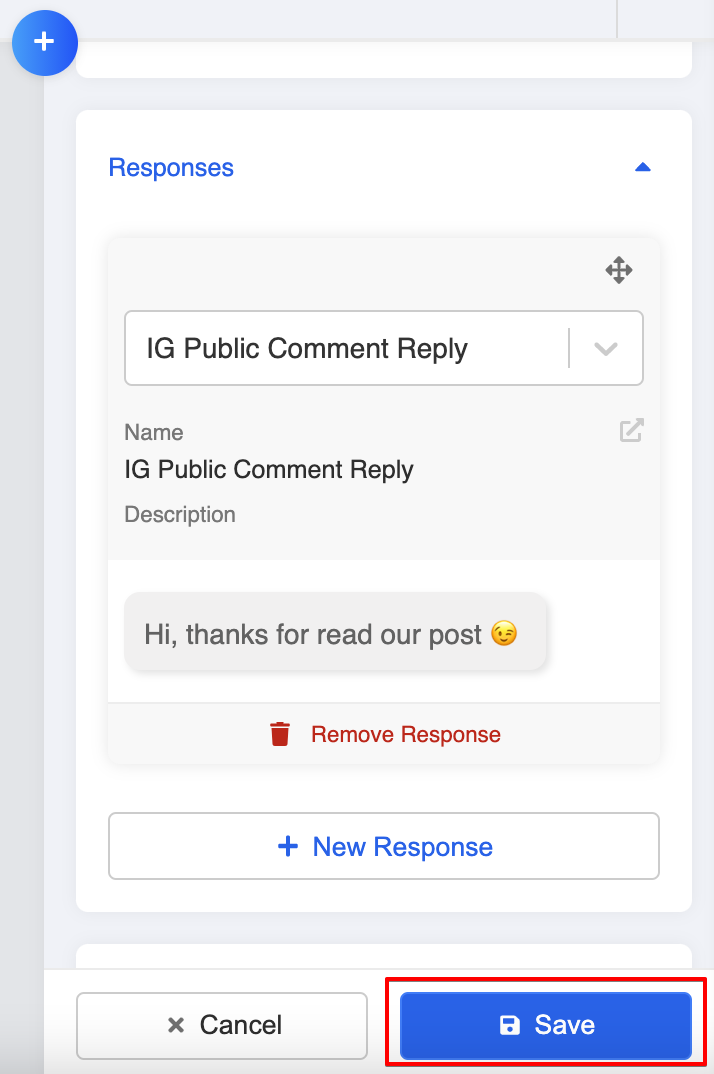
Create New Response
Create Global Node
- Create a new global node. This will trigger the reply message when a customer comments on your post.
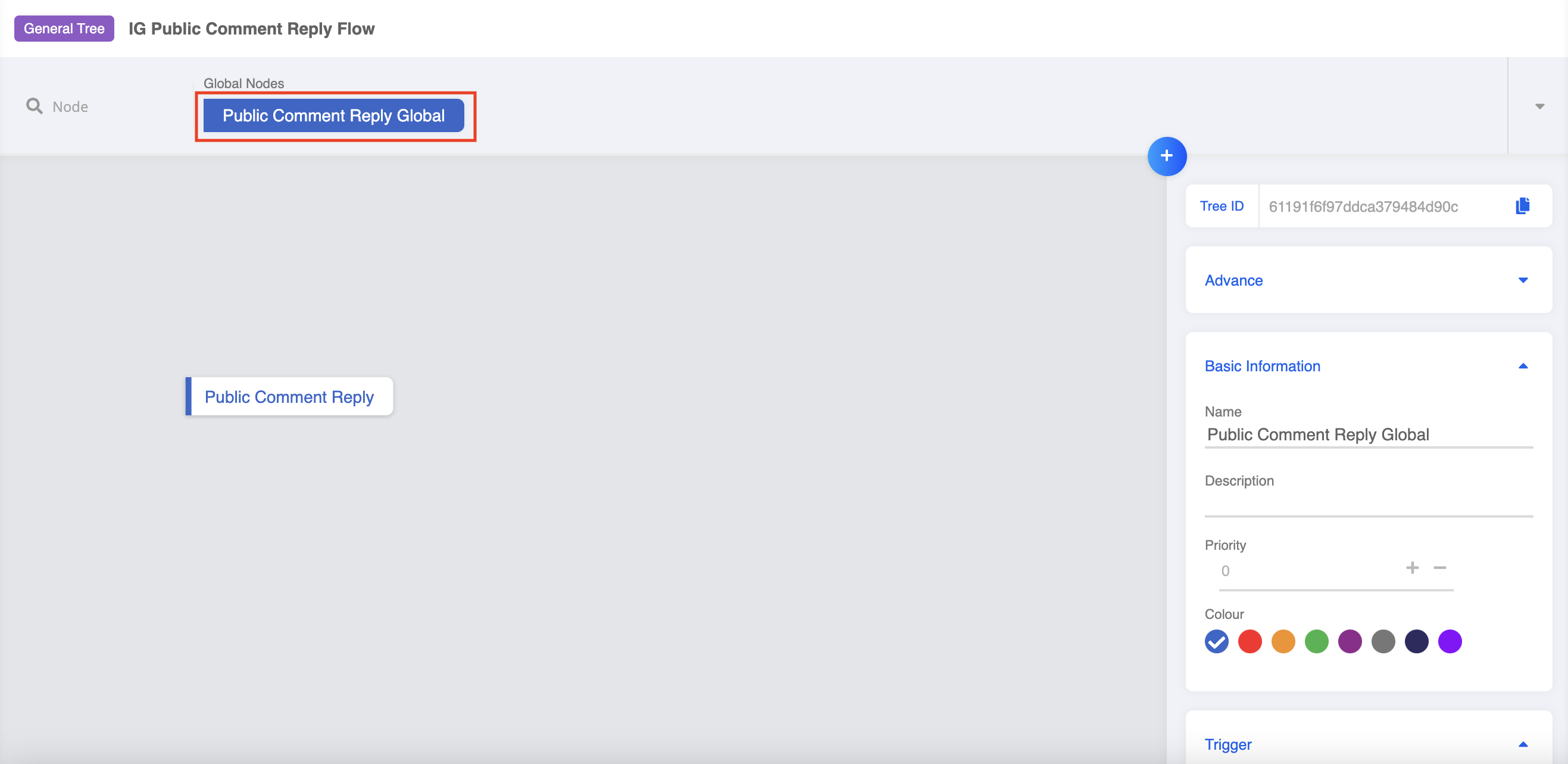
Create Global Node
- Create a trigger using Instagram Comment. Then, select the Instagram Page ID and Instagram Media ID from the dropdown lists.
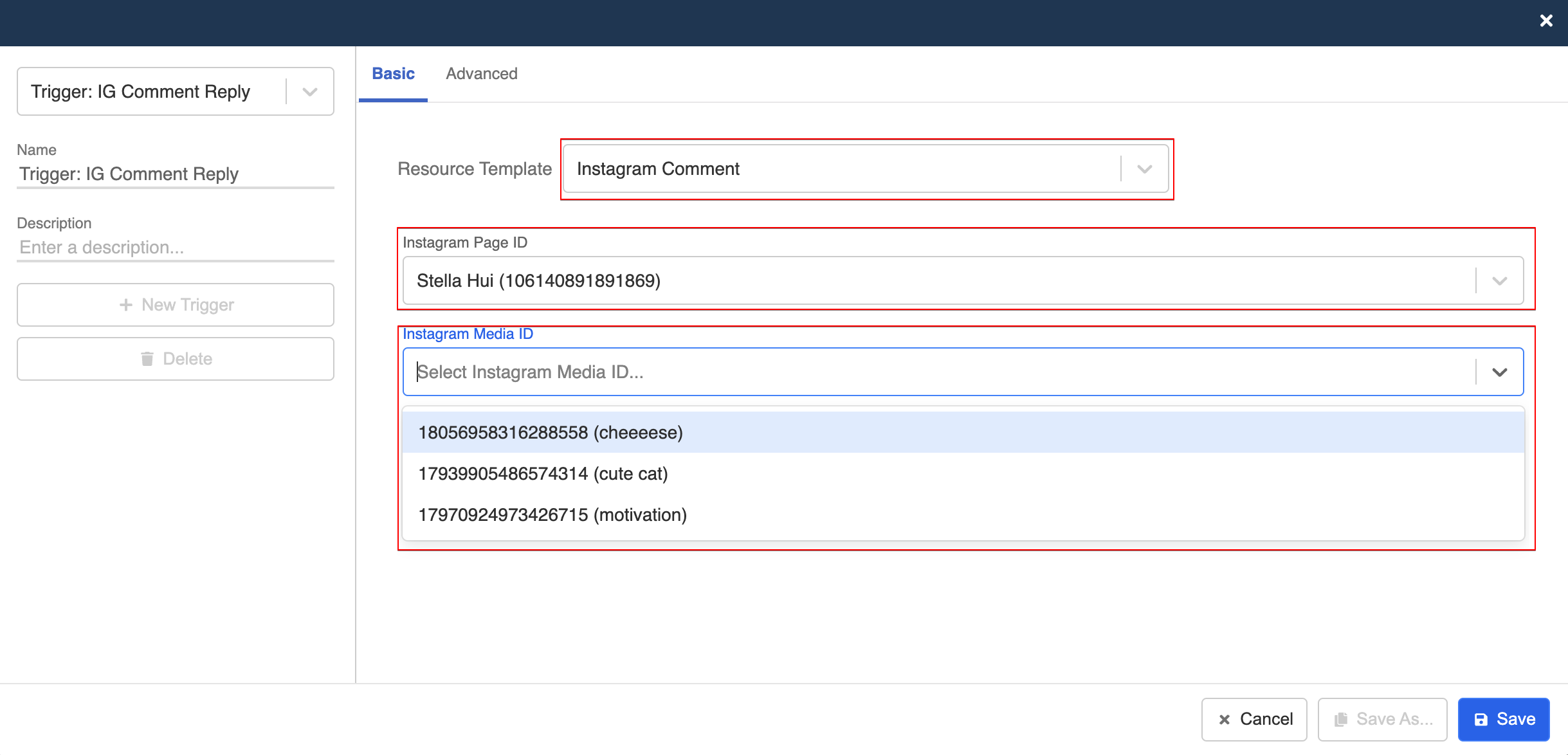
Create New Trigger
- Select "+ Keywords Groups", and create a keyword for triggering the comment reply.
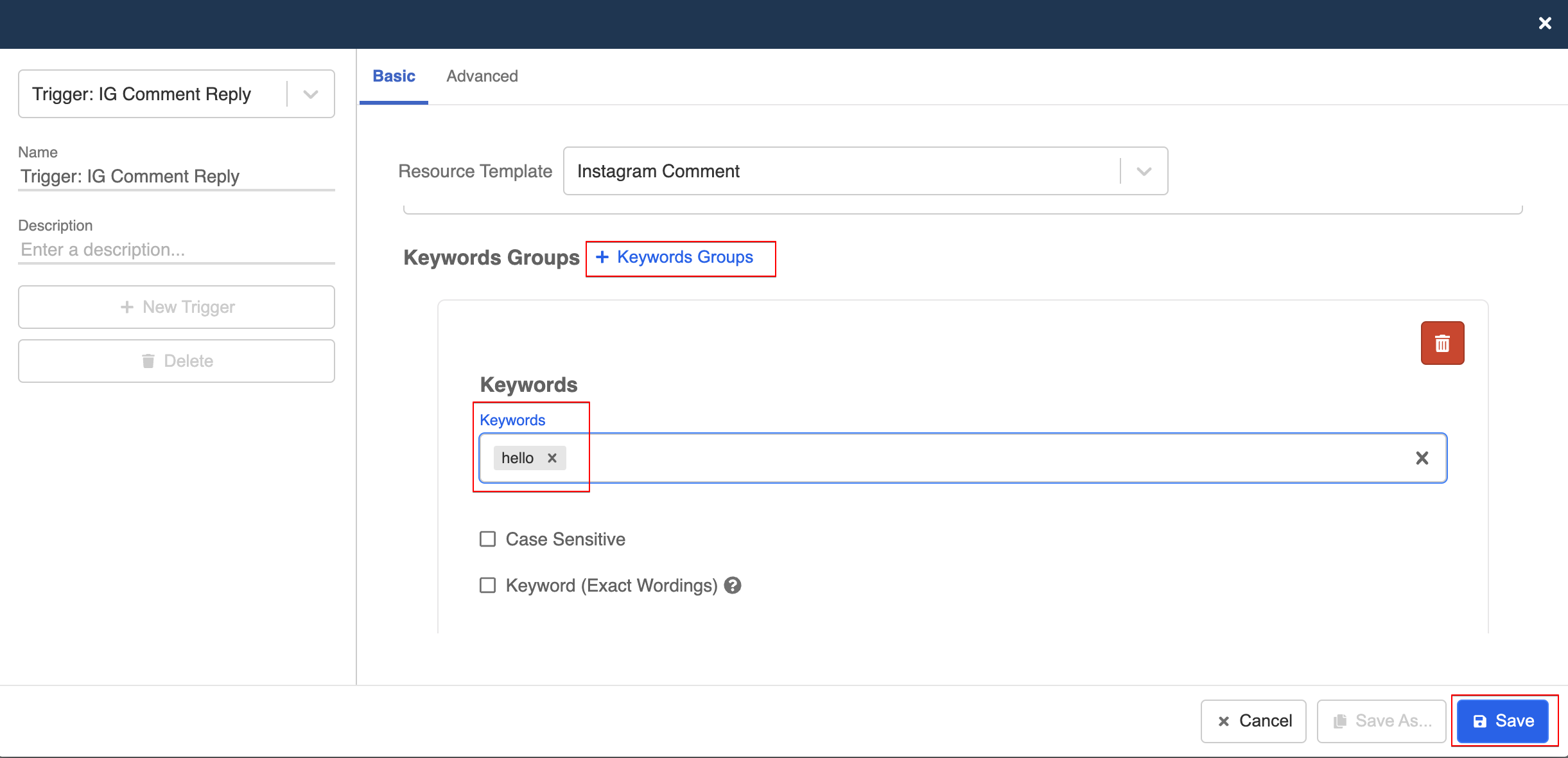
Create New Trigger
- Toggle on redirect and select the chatbot node you have created earlier. Finally, click "Save" to save the node.
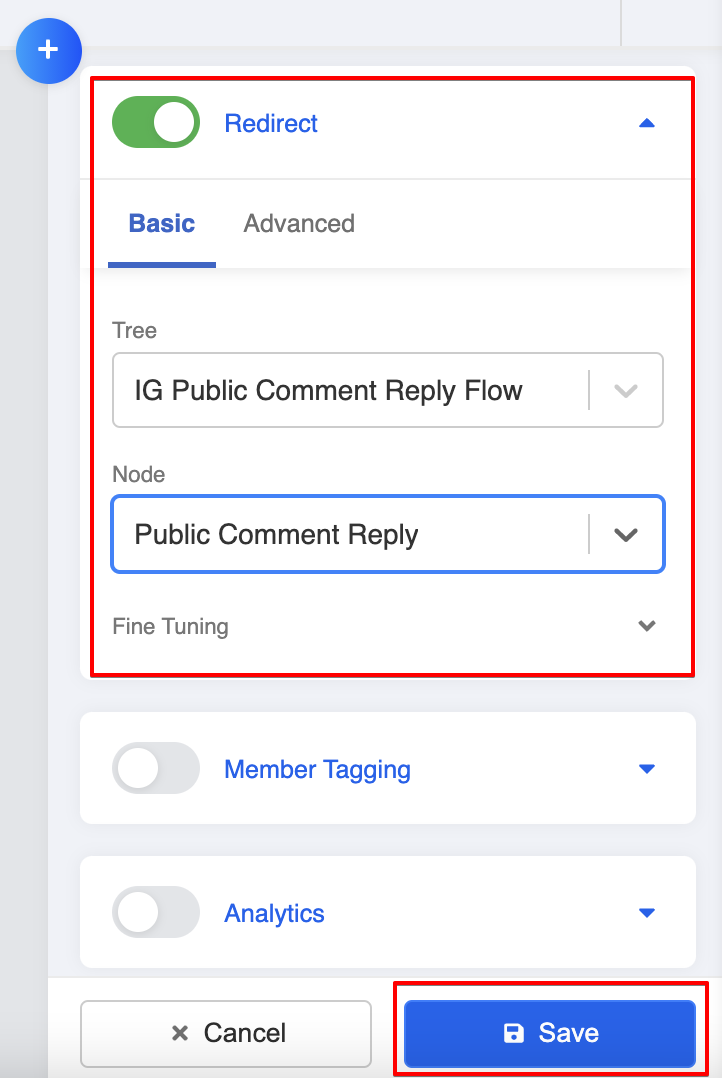
Redirect
Add Chatbot to Channels
- Head to "Channels" and select the Instagram channel. Select "Platform" and the "Chatbot Settings", add the chatbot to the channel and select the new global nodes.
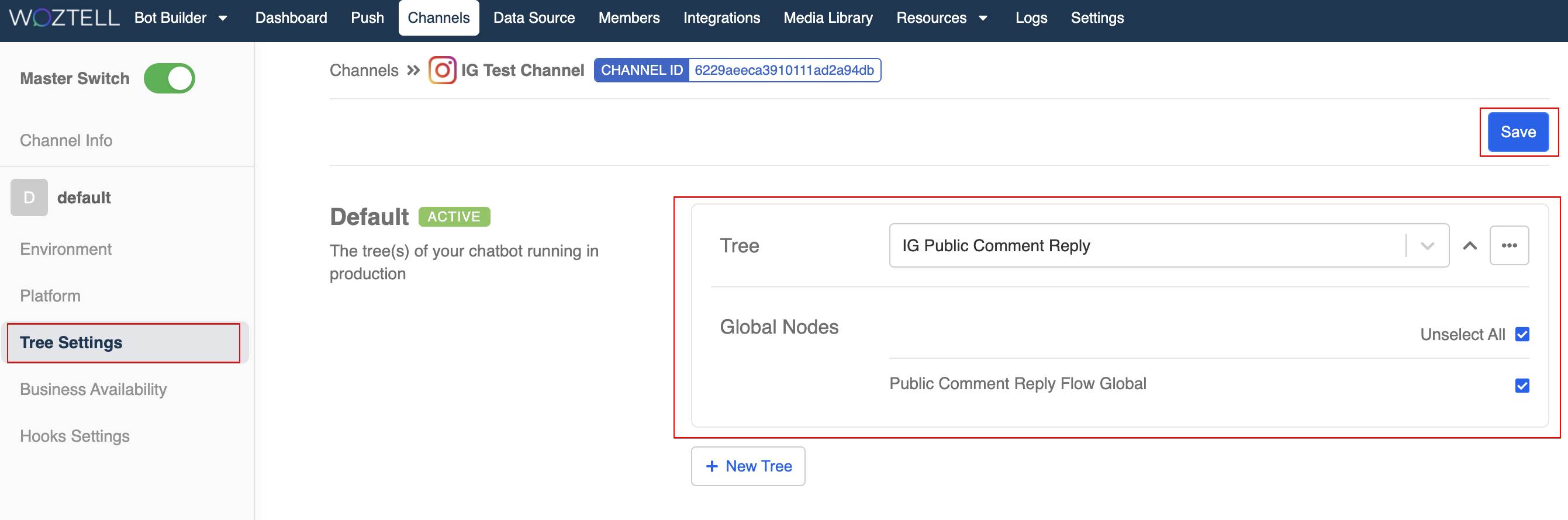
Add Chatbot to Channel
Private Comment Reply
Expected Outcome
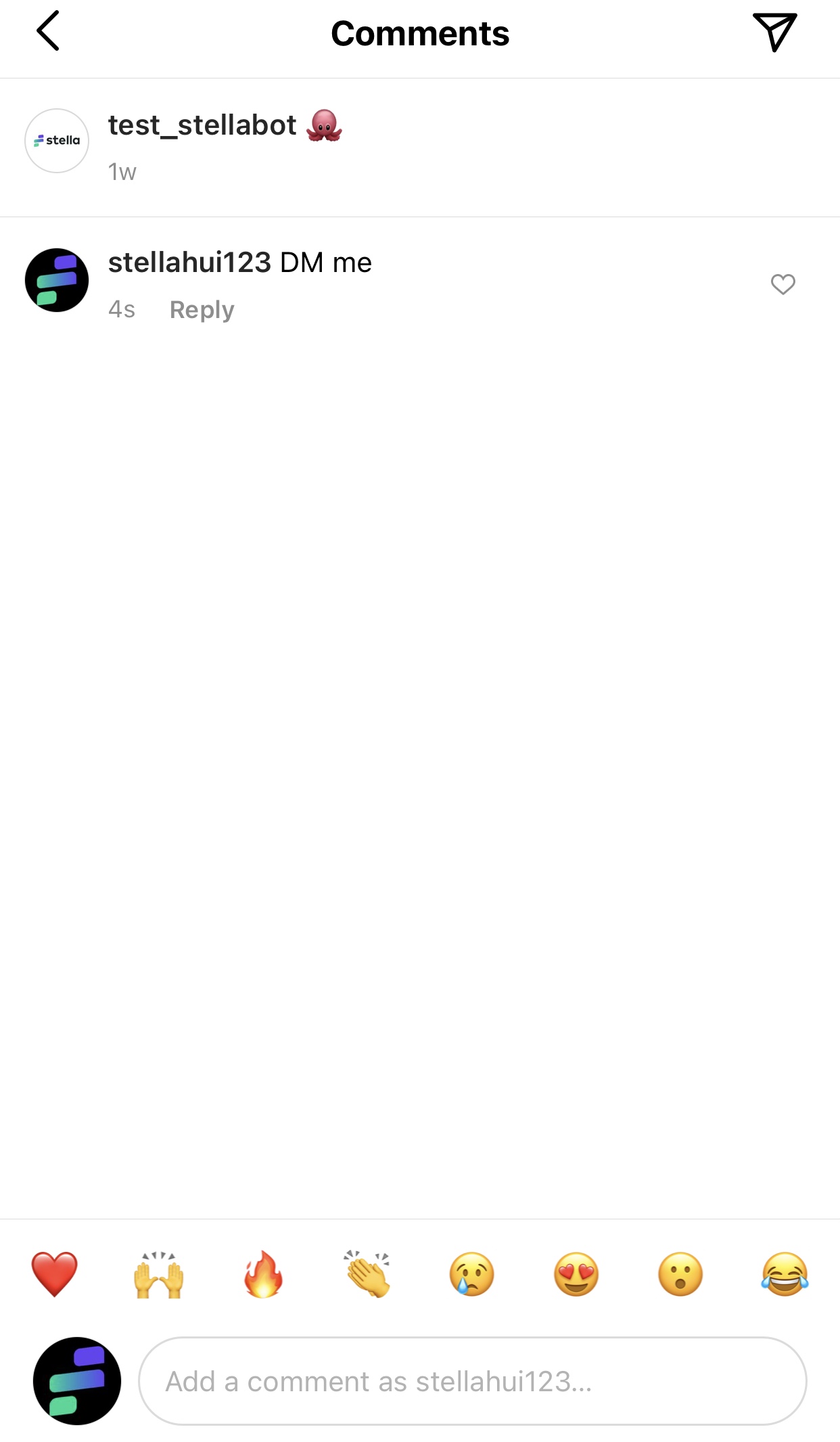
Mentioned in Public Story
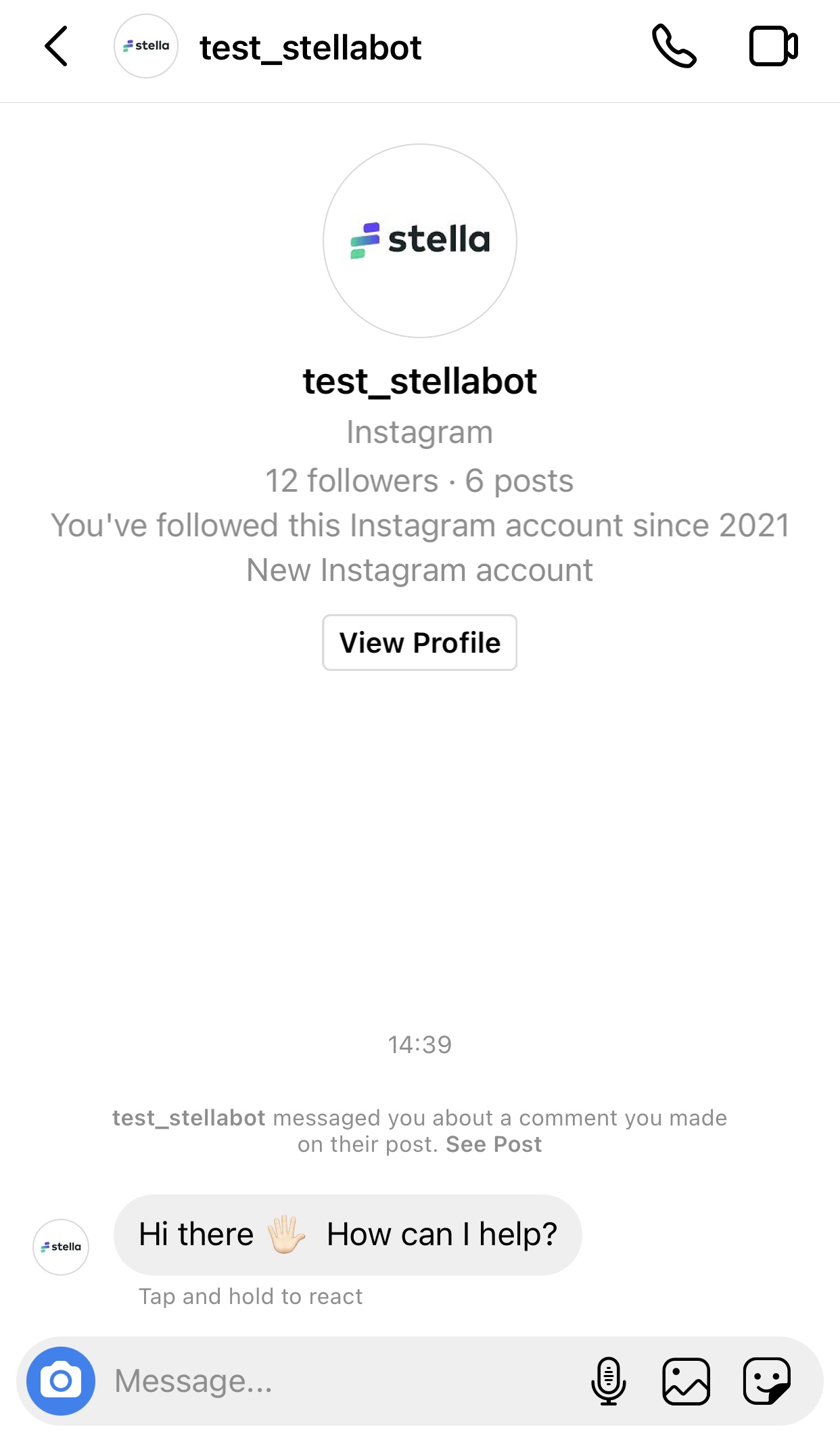
Reply in Direct Message
Create a Chatbot and Node
- Create a new chatbot.
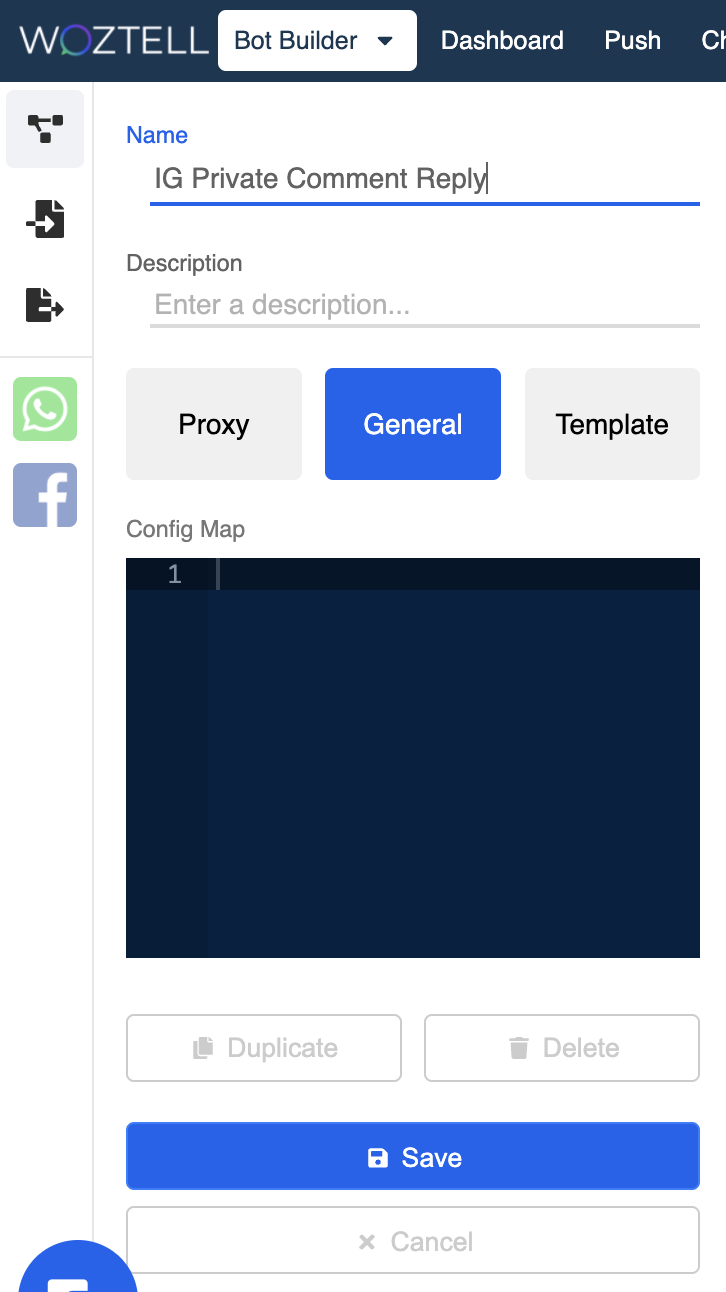
Create New Chatbot
- Create a new chatbot node. This node will handle the automated reply sent to the customers.
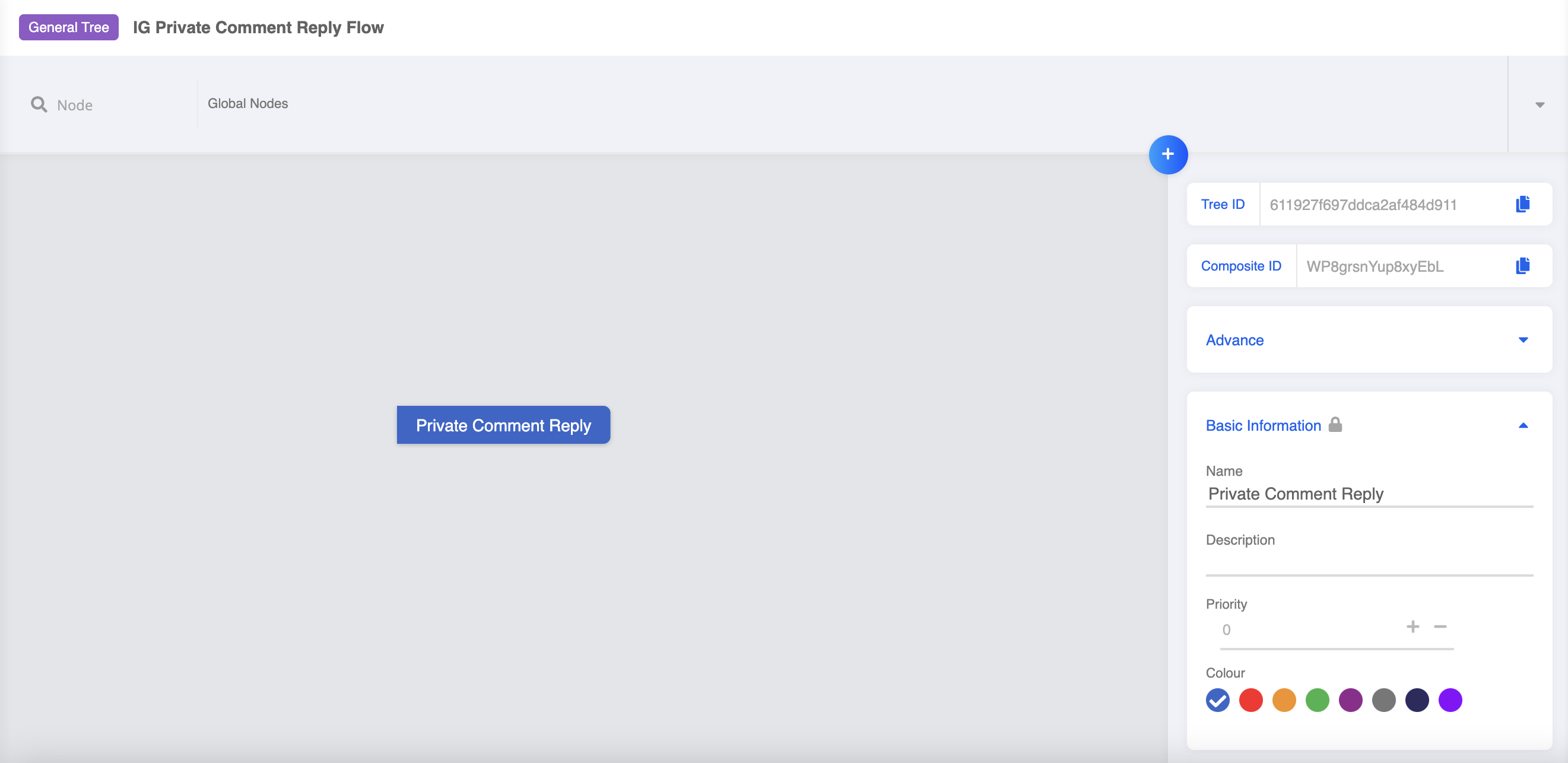
Create New Chatbot Node
- Create a new response, and fill in the text content for the comment reply. Click "Save".
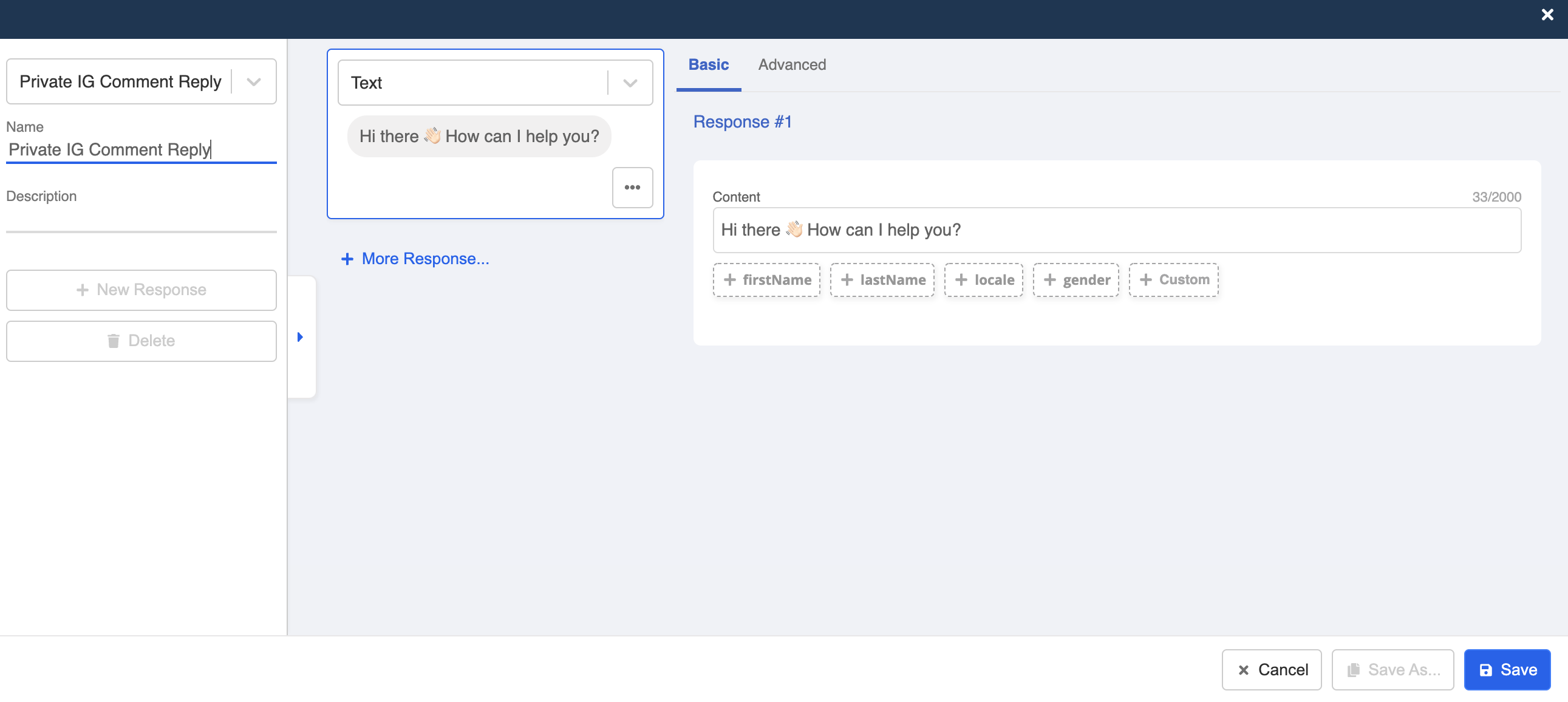
Create New Response
- Save the chatbot node.
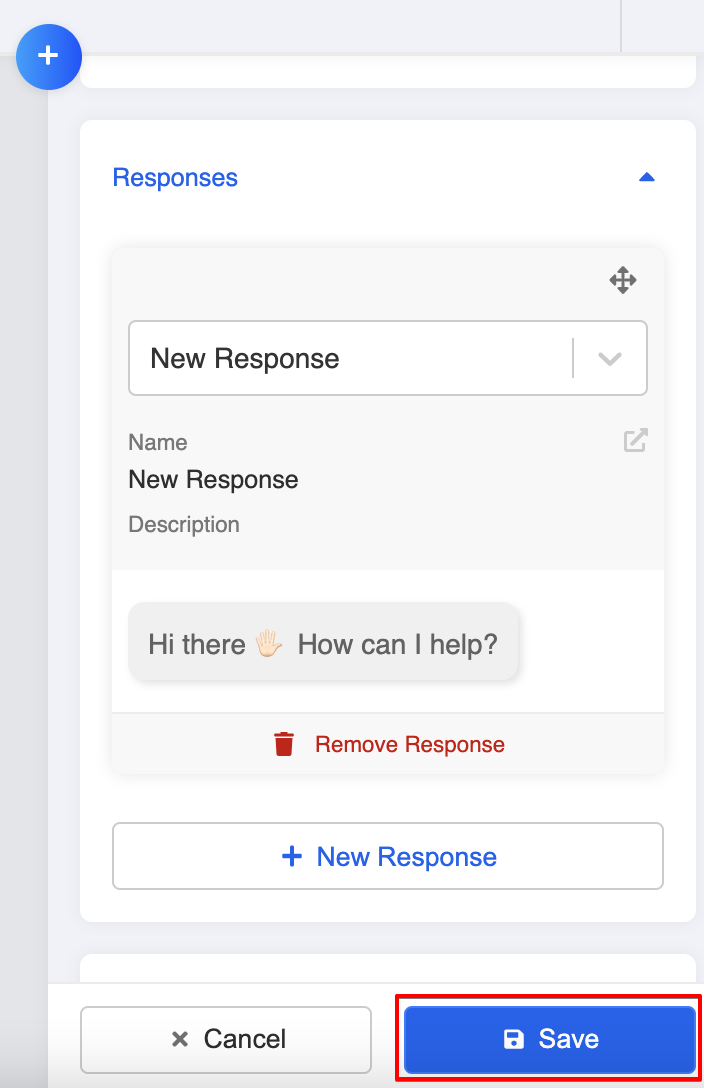
Save Chatbot Node
Create Global Node
- Create a new global node. This will trigger the reply message when a customer comments on your post.
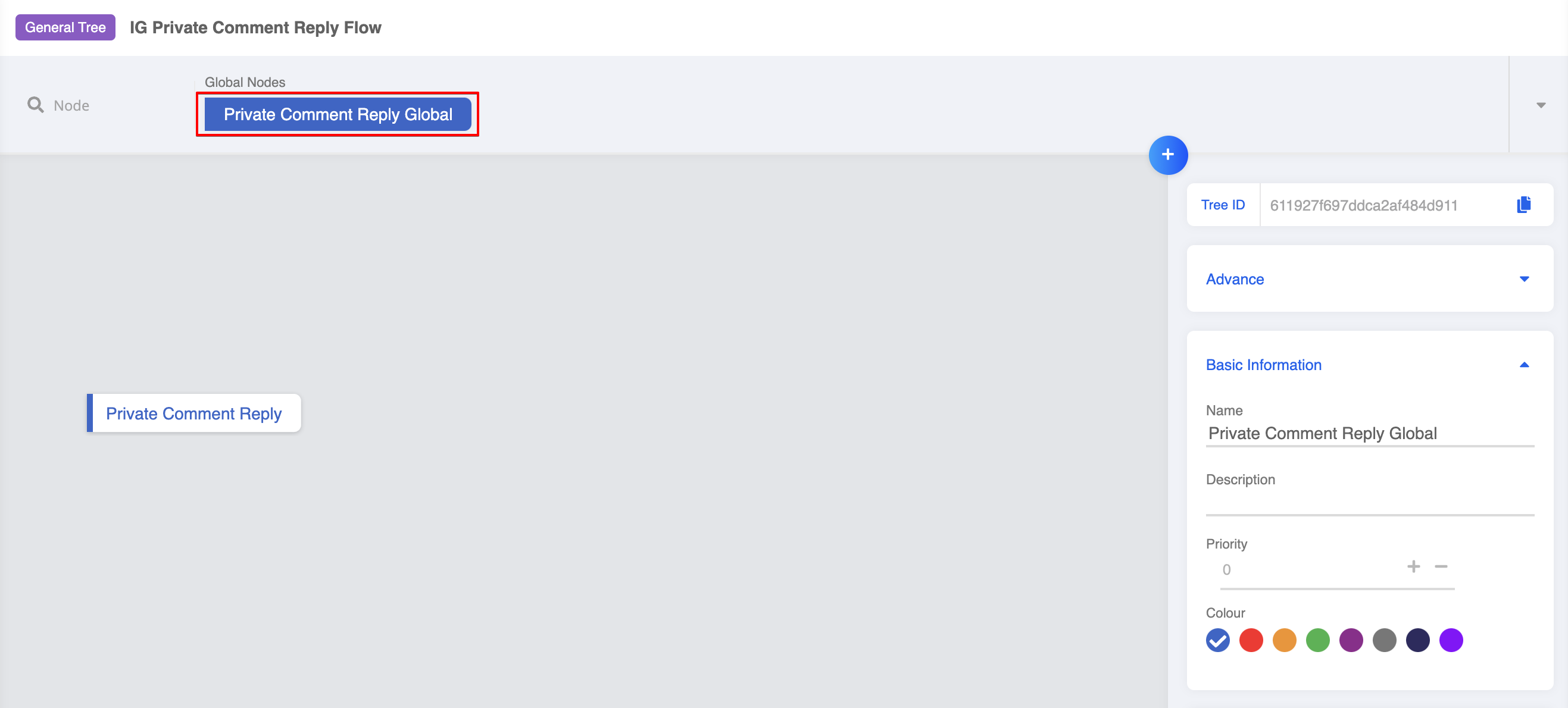
Create New Global Node
- Create a trigger using Instagram Comment. Then, select the Instagram Page ID and Instagram Media ID from the dropdown lists.
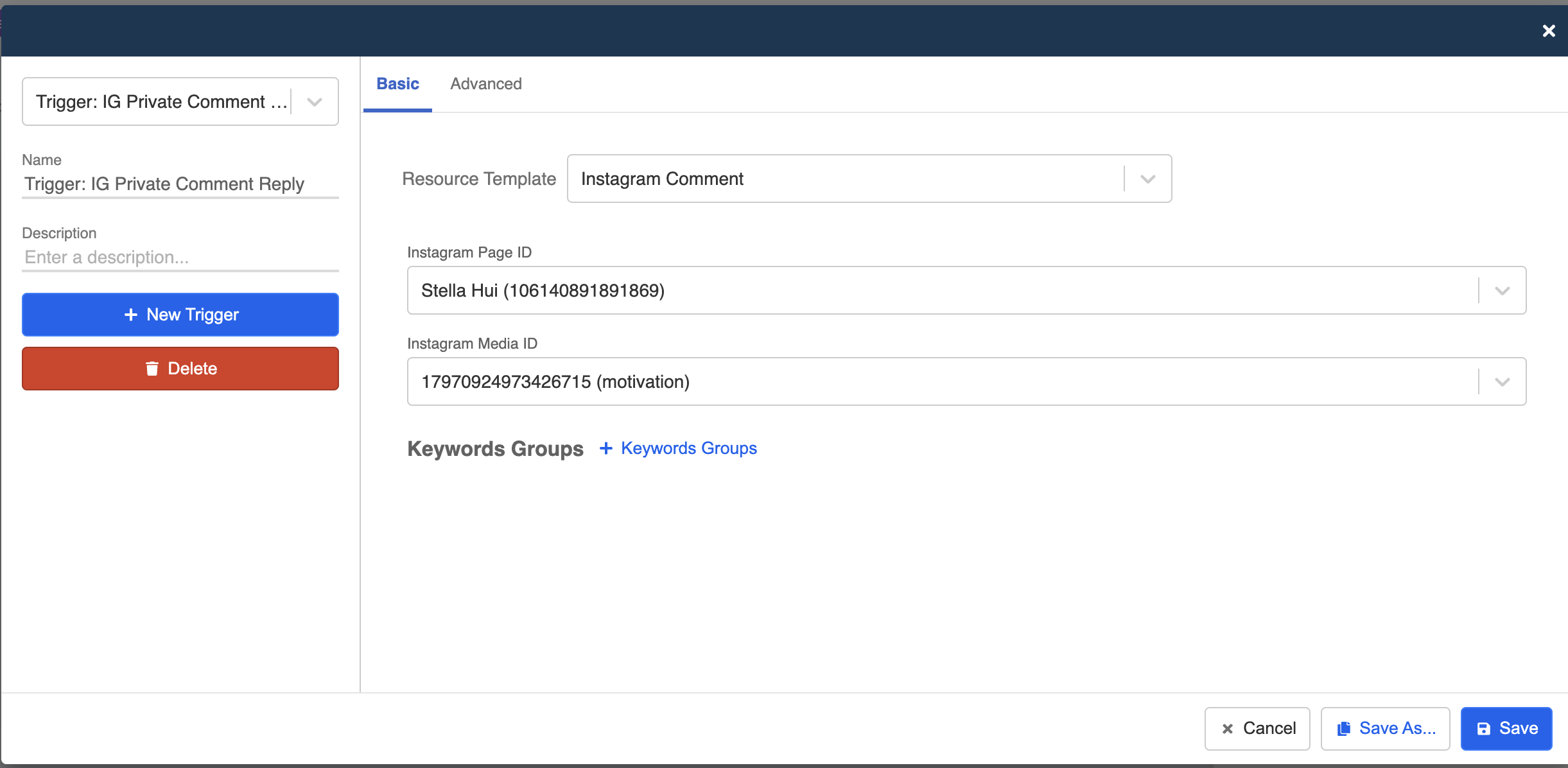
Create New Trigger
- Select "+ Keywords Groups", and create a keyword for triggering the comment reply.
Create New Trigger
- Toggle on redirect and select the general node you have created earlier. Click "Save" to save the node.
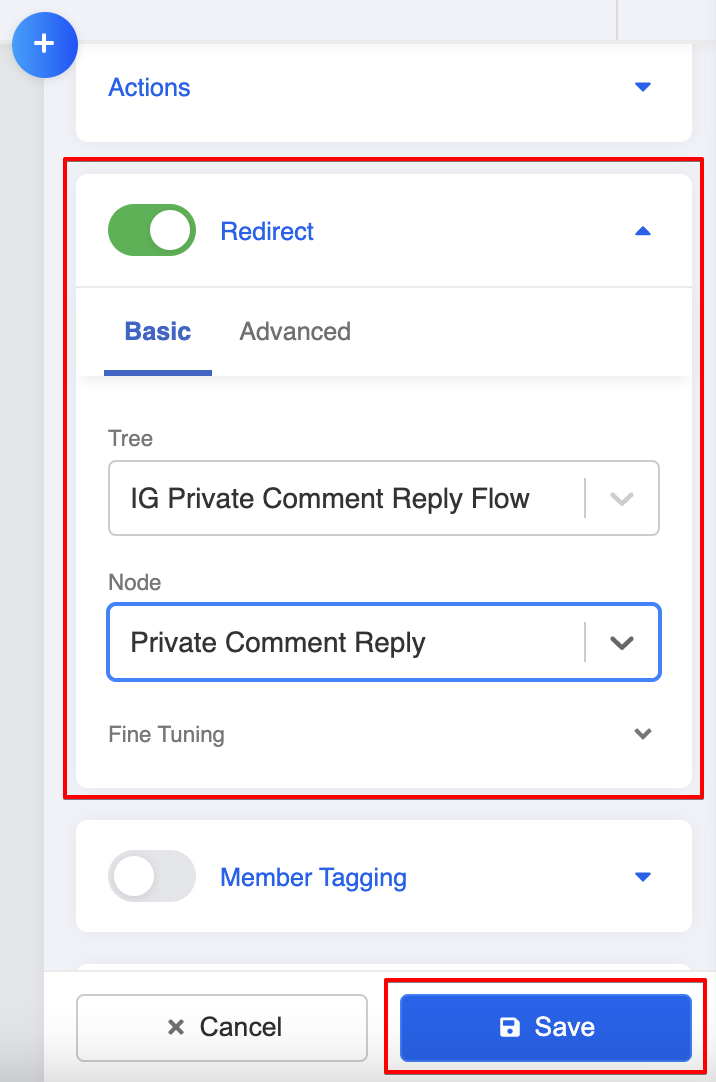
Redirect
Add Chatbot to Channels
- Head to "Channels" and select the Instagram channel. Select "Platform" and the "Chatbot Settings", add the chatbot to the channel and select the new global nodes.
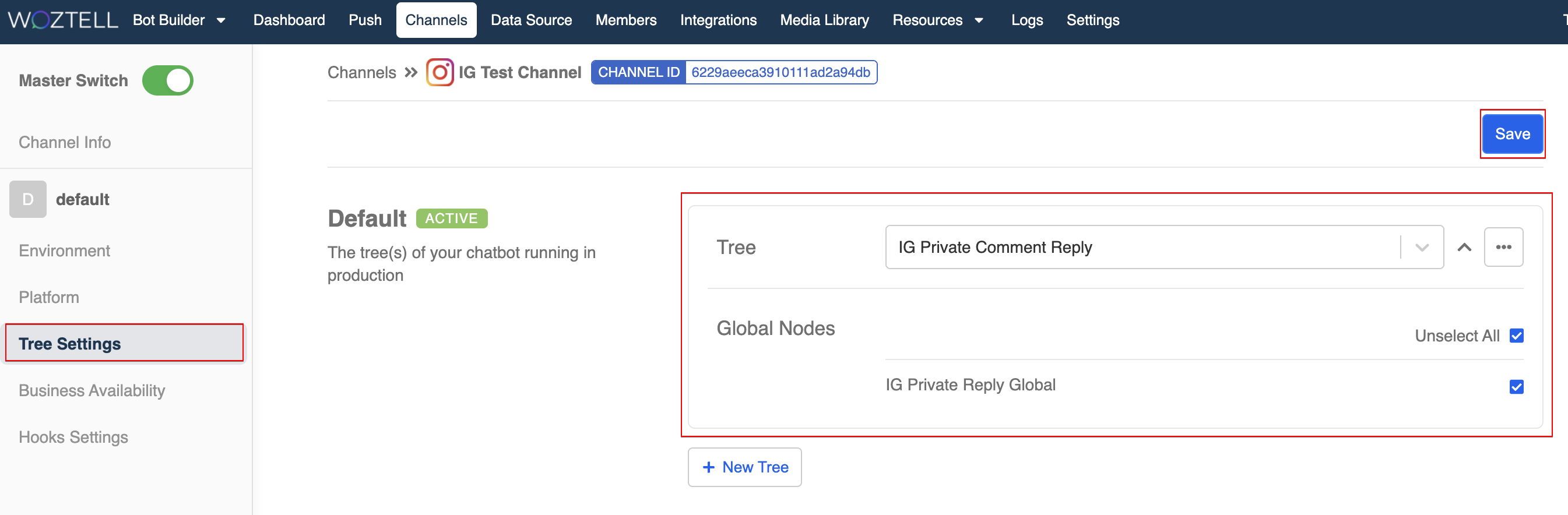
Add Chatbot to Channel